





























































ColorSource 40 Offline Software
-
Onstipes / 1 week
- December 28, 2025
- 0
- 10 min read

ColorSource 40 offline software exists for a very specific reason: lighting work rarely happens only at the console. Designers, technicians, and operators often need time to plan cues, experiment with looks, or prepare shows when they do not have access to the physical desk or a live venue. Offline software fills that gap by allowing structured, practical preparation away from show conditions.
This topic attracts users with different levels of experience. Some are beginners learning how lighting control works, while others are professionals looking to reduce on-site setup time and avoid costly mistakes during rehearsals. The shared intent is not curiosity alone, but evaluation: understanding what the software realistically offers and whether it fits a real workflow.
This article focuses on how ColorSource 40 offline software is actually used, not how it is marketed. It explains what works well, where limitations exist, and what users should understand before relying on it for training or show preparation. The goal is clarity, not promotion.
By the end, you should be able to decide whether this tool supports your specific needs, how to use it effectively, and where it fits within modern lighting control workflows—without relying on assumptions or outdated guidance.
What Is ColorSource 40 Offline Software and Who Is It For?
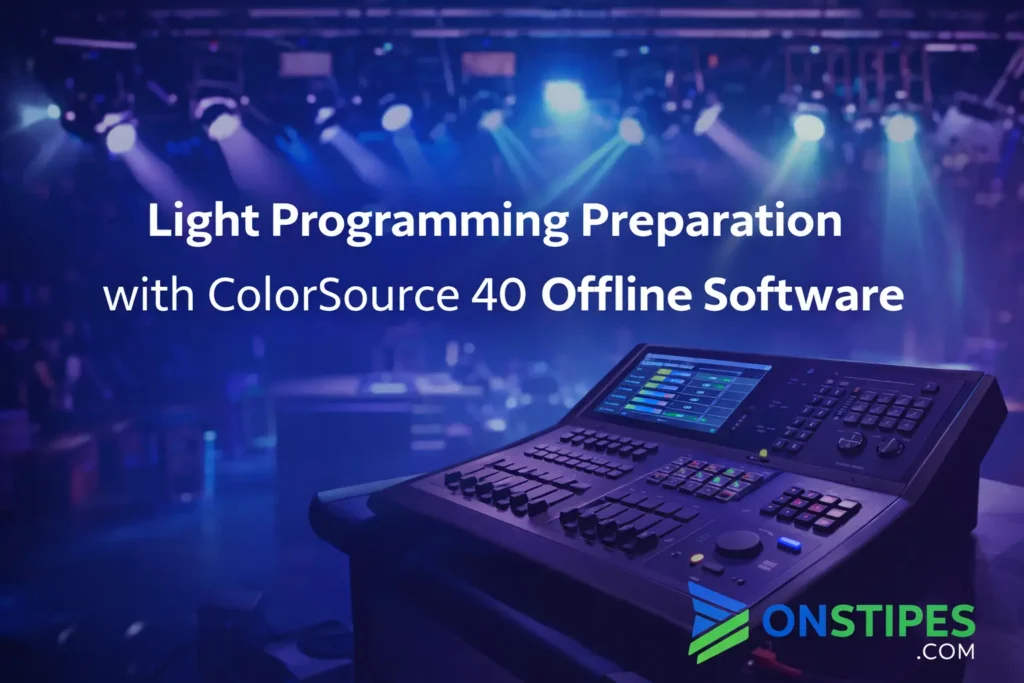
ColorSource 40 offline software is a desktop application designed to let users prepare and edit lighting shows without needing the physical ColorSource console. It mirrors the core programming environment of the hardware, allowing cues, looks, and basic show structure to be built in advance. The software is provided by Electronic Theatre Controls (ETC) as a practical extension of the console, not a separate lighting system.
This tool is primarily meant for people who already plan to use a ColorSource console in real-world environments. That includes small theatres, schools, churches, community venues, and touring setups where console access time is limited. It is not intended to replace the desk, but to reduce pressure during setup by moving preparation work off-site.
For beginners, the software functions as a learning environment where mistakes are low-risk. Users can explore how channels, cues, and timing behave without the stress of a live show. For experienced operators, it becomes a planning tool that supports faster load-ins and cleaner rehearsals.
A common misunderstanding is assuming the offline software is a full simulator. It is not designed for advanced visual rendering or complex previsualization. Its value lies in preparation and structure, not visual accuracy.
How Offline Lighting Programming Works in Practice
Offline lighting programming works by separating decision-making from execution. Instead of building cues while standing at the console under time pressure, users create the logical structure of a show in advance. This includes channel groupings, cue timing, fades, and basic looks, all built within the same framework the physical console uses.
In practice, most users work offline with a clear goal. They may already have a script, cue list, or rehearsal notes and want to translate those ideas into a usable show file. The offline environment supports this by allowing repeated edits, revisions, and experimentation without affecting a live system.
One practical advantage is consistency. Offline work encourages deliberate choices rather than rushed adjustments. This often leads to cleaner cue stacks and fewer last-minute fixes during technical rehearsals. It also makes collaboration easier, since show files can be reviewed or adjusted before arriving on site.
A common mistake is treating offline programming as guesswork. It works best when users base decisions on known fixture layouts, patch information, and venue constraints. Without that context, offline preparation loses much of its practical value.
What You Can and Cannot Do Without the Physical Console
Without the physical console, the offline software allows you to handle the structural side of a lighting show. You can build cue lists, organize channels, define groups, set fade times, and establish the overall flow of the show. This covers a large portion of the work that normally consumes valuable on-site hours.
What you cannot do offline is interact with real fixtures in a live environment. There is no direct output to lights, no confirmation of how colors render in the space, and no feedback from actual dimmers or fixtures. The software assumes that patching and hardware behavior will match expectations when the file is transferred.
This distinction matters because offline programming is strongest when used for preparation, not final validation. It helps you arrive with a plan, not a finished product. Final adjustments still require time at the console with the actual rig powered on.
A common mistake is expecting offline work to eliminate on-site programming entirely. In reality, it reduces workload and stress but does not replace the need for real-world testing and refinement.
Core Features That Matter for Real-World Use
The most important features of the offline software are the ones that support preparation, not spectacle. Users can create and edit cues, adjust timing, build channel groups, and organize a show file exactly as they would on the console. This consistency is critical because it minimizes surprises when the file is later loaded onto the desk.
Another practical feature is file compatibility. Show files created offline are designed to transfer directly to the console, preserving structure and settings. This allows users to focus on creative and technical decisions ahead of time rather than rebuilding work under pressure.
The interface itself matters more than it first appears. Because it closely reflects the console layout, users develop muscle memory and workflow habits that carry over to live operation. This is especially valuable for training and shared environments.
A common mistake is overvaluing features that look advanced but do not translate into time savings. The real strength of the software lies in reliability and familiarity, not visual complexity.
Typical Use Cases: When Offline Software Actually Helps
Offline software is most effective when time, access, or environment limits on-site programming. In many venues, console time is restricted to short technical windows. Preparing cues in advance allows operators to arrive with a structured show rather than starting from zero under pressure.
Educational settings are another common use case. Schools and training programs use offline tools to teach lighting fundamentals without tying up shared equipment. Students can practice building cues, understanding timing, and organizing shows without risk to live productions.
Touring and multi-venue productions also benefit. When a show moves between spaces, offline work helps maintain consistency while allowing targeted adjustments for each location. The core structure stays intact, reducing repetitive work.
A frequent mistake is using offline software without a clear objective. It works best when tied to a script, cue list, or defined lighting plan rather than open-ended experimentation.
System Requirements and Platform Compatibility Explained
The offline software is designed to run on standard desktop systems, which makes it accessible without specialized hardware. It supports common operating systems used in production environments, allowing users to work from personal or institutional computers rather than dedicated control machines. This flexibility is important for planning work that happens outside the venue.
From a practical standpoint, performance requirements are modest. Because the software focuses on show structure rather than real-time rendering, it does not demand high-end graphics or processing power. Stability and familiarity matter more than raw performance, especially for longer planning sessions.
Compatibility also extends to file handling. Show files created offline are intended to move cleanly between systems without conversion or manual fixes. This reduces the risk of version mismatches or corrupted data during transfer.
A common mistake is ignoring version alignment. Using mismatched software and console versions can introduce avoidable issues, so keeping both updated and compatible is part of a reliable workflow.
How Show Files Transfer Between Offline Software and Console
Show file transfer is designed to be straightforward, because the offline software uses the same underlying structure as the physical console. In most cases, users export the show file and move it via removable storage or a shared system, then load it directly on the console. This process preserves cues, timing, groups, and basic show organization.
In real-world use, the transfer works best when preparation is disciplined. Files created offline should be based on accurate patch information and fixture assumptions. When those assumptions match the venue setup, the show loads cleanly and requires only refinement rather than rebuilding.
Once on the console, operators typically verify patching, adjust levels, and fine-tune transitions. The offline file acts as a foundation, not a finished performance-ready state. This approach saves time while keeping flexibility intact.
A common mistake is skipping verification after transfer. Even well-prepared files need review on the console to catch mismatches between planned and actual hardware behavior.
Common Limitations Users Should Understand Early
The offline software is intentionally limited, and understanding those limits early prevents frustration later. It does not provide true visual previsualization, fixture simulation, or real-time feedback. Users cannot see how colors blend in the space or how movement and intensity interact with the physical environment. Those decisions still require on-site testing.
Another limitation is reliance on assumptions. Offline programming depends on knowing the fixture types, patch layout, and control behavior in advance. If those details change, some offline work may need adjustment. The software does not automatically adapt to unexpected hardware differences.
It is also not designed for complex, large-scale productions. Compared to advanced lighting platforms, its scope is narrower by design. That simplicity is a strength for its target audience but a constraint for more demanding workflows.
A common mistake is expecting the software to scale beyond its purpose. It works best when treated as a preparation tool, not a full production replacement.
Learning Curve: Is It Suitable for Beginners or Training?
The learning curve is intentionally gentle, which makes the offline software well suited for beginners. The interface mirrors the physical console closely, so new users learn the same concepts and workflows they will later use in real situations. This consistency reduces confusion and helps training translate directly into practical skills.
For educational environments, the software supports structured learning. Instructors can teach cue construction, timing, and show organization without scheduling conflicts around shared hardware. Students can practice repeatedly, make mistakes, and refine their understanding without pressure.
Experienced users also benefit, though in a different way. They tend to focus less on learning the interface and more on refining workflow efficiency. Offline work becomes a way to think through complex sequences calmly before committing them live.
A common mistake is underestimating the value of fundamentals. Even advanced users sometimes skip basic structure offline, which can lead to messy shows later.
Conclusion
ColorSource 40 offline software is best understood as a preparation tool, not a replacement for live programming. Its strength lies in helping users think clearly, structure shows in advance, and arrive at the console with intent rather than guesswork. When used properly, it reduces pressure, improves consistency, and supports better on-site decisions.
For beginners and training environments, it offers a low-risk way to learn real console workflows. For experienced operators, it provides a calm space to plan cues and solve problems before stepping into time-limited venues. Its value is practical, not flashy.
The most important takeaway is expectation management. Offline work saves time only when it is grounded in accurate information about the venue and rig. Treat it as a foundation, verify everything live, and refine where reality demands adjustment.
Used with that mindset, the software remains a relevant and reliable part of modern lighting workflows.